Features
Take the busywork out of care management.
CareDot helps organize the recurring tasks around chronic care, from documentation support to follow-up workflows, while keeping your team in control.
AI assistance
Let AI help with the repetitive parts.
Chief and the CareDot AI capabilities are designed to assist with routine work, information organization, and workflow steps. They are there to help your team, not to take over its responsibilities.
People should be able to review outputs, apply context, and decide what happens next. AI assistance should make work more manageable, not make decisions invisible.
YouBook Maria for Tuesday at 10.
YouWho still needs a PHQ-9? Remind them.
YouSend the HRA to everyone with a wellness visit next week.
YouCreate a follow-up task for anyone with a GAD-7 over 15.
YouText Linda: see you tomorrow at 10:30.
YouAdd this medication from the photo.
Scheduling
Book, cancel or confirm visits and send booking links.
Assessments
Find pending or high-scoring forms and prepare reminders for approval.
Outreach
Prepare calls, texts, emails, app messages and education for one patient or a list.
Tasks and notes
Create tasks and draft care notes for your team to review.
Information from a photo
Capture an insurance card or medication label and add the information to the patient record for review.
You approve what goes out
Chief can organise and prepare the work. Outbound actions wait for a person's approval.
Documentation support
Spend less time starting from a blank page.
CareDot can support documentation workflows by helping organize information and prepare material for review. Your team can spend less time assembling routine details and more time checking what matters.
Designed for: less repetitive documentation work, clearer review, and a workflow that keeps people accountable for the final record.
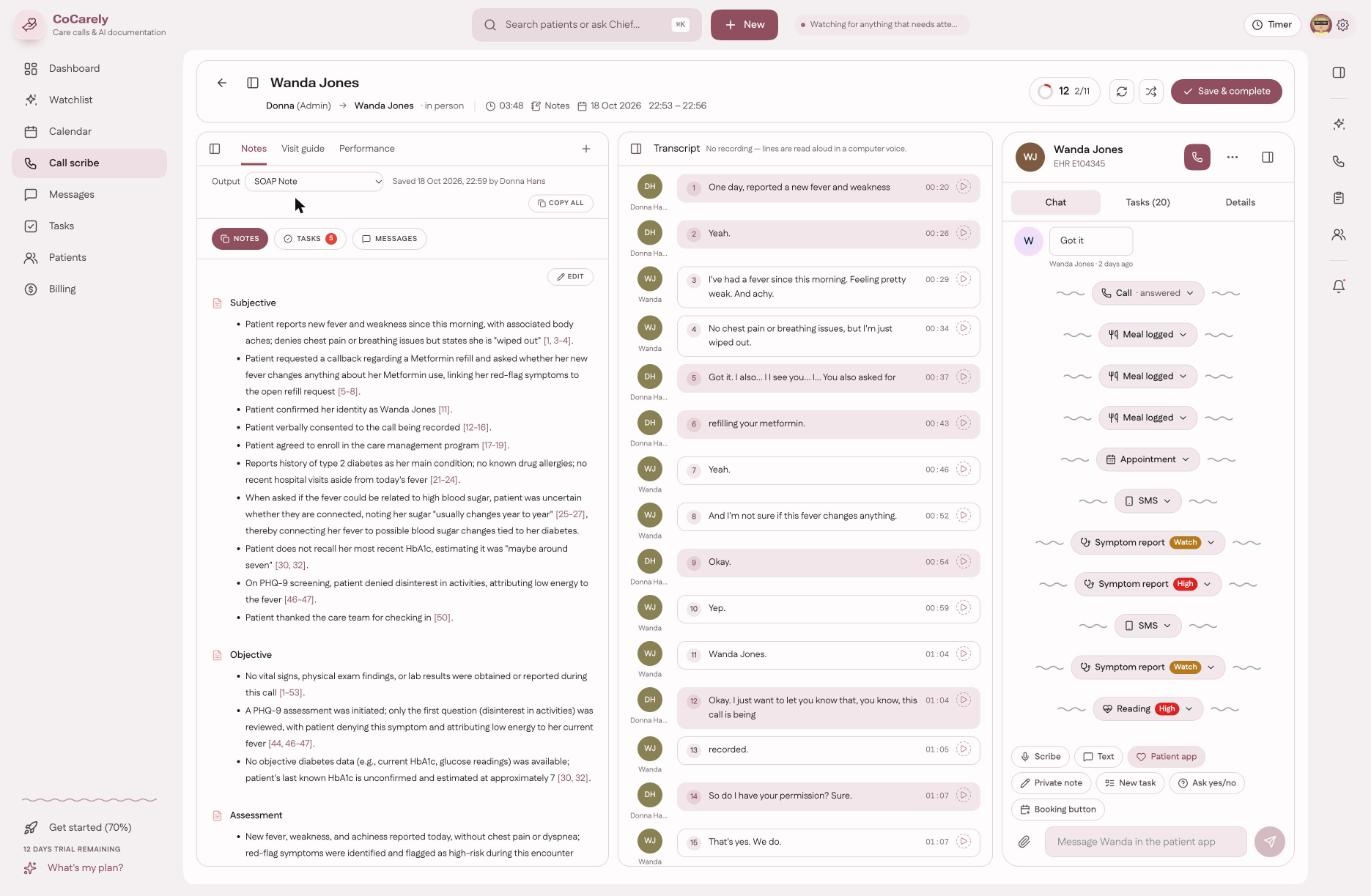
Notes
Get a draft in the format you choose, ready to review when the call ends.
Information extraction
Medications, problems and other details mentioned can be suggested for the patient profile. Nothing is saved until someone selects Add.
Tasks and messages
Turn follow-ups mentioned in the conversation into draft tasks and a patient message.
Call quality
Recorded calls receive a quality score to support coaching. Admins can see team scores; other users see their own.
Care program workflows
Give ongoing care a more consistent rhythm.
CareDot supports workflows associated with programs such as CCM, PCM, RPM, BHI, and APCM. Teams can use structured processes to help manage ongoing work and keep activity organized.
Program setup, eligibility, clinical oversight, and billing remain the responsibility of the practice and its qualified professionals.
Identify
Surface patients who may qualify based on chart information, conditions, visits and payer details.
Obtain consent
Chief can call from your practice number, explain the program and record the patient's answer.
Enroll
Once consent is recorded, help the patient get started with PatientDot.
Arrange the first visit
Chief can book the first appointment and send the relevant links.
Patient engagement
Keep the relationship going between visits.
Care often depends on what happens after the appointment. CareDot supports patient-facing workflows that help practices stay connected with patients and make participation in ongoing care easier.
The technology supports the relationship. It does not replace the conversations, empathy, or judgment that make care personal.
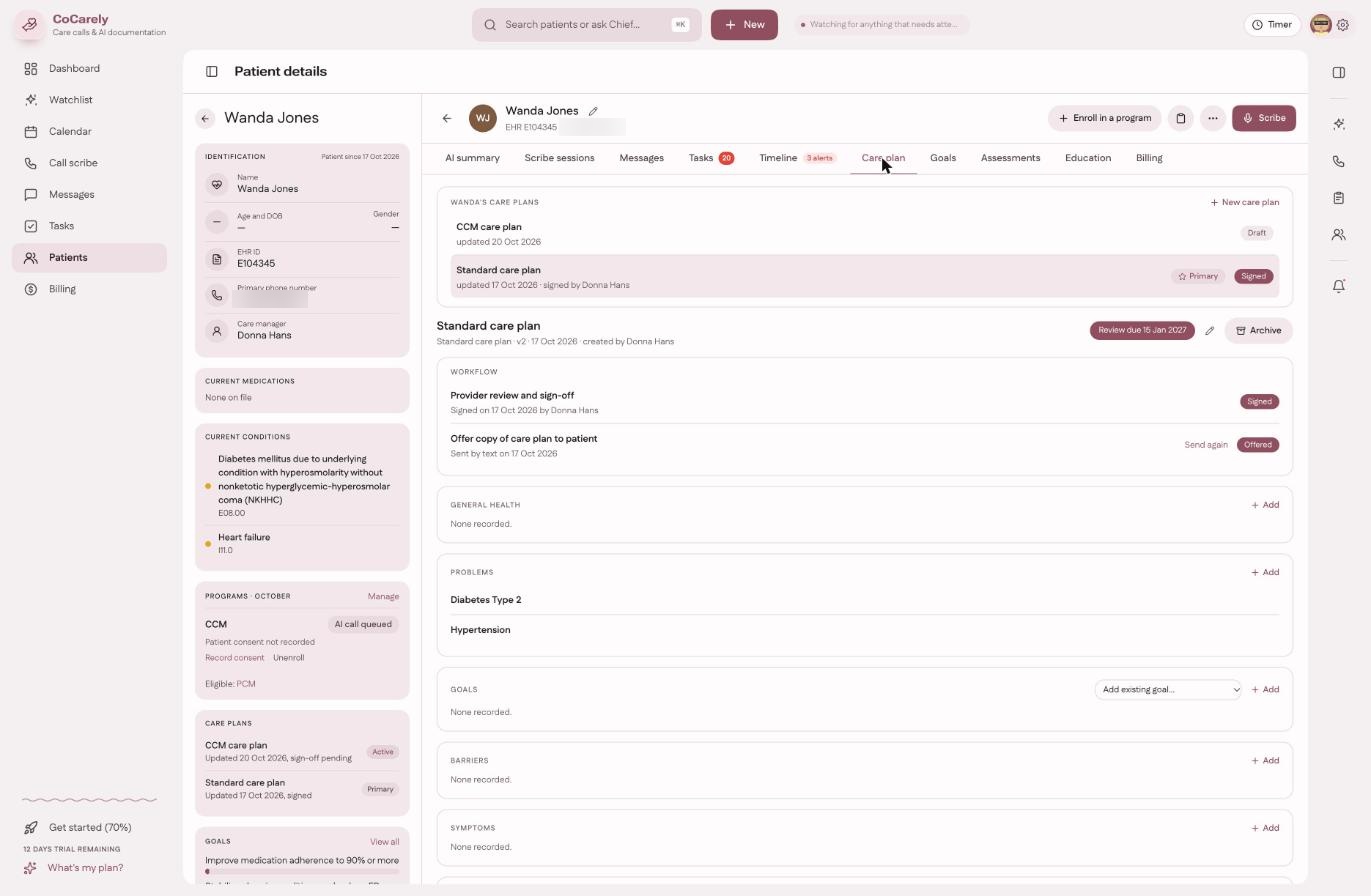
Tasks and follow-ups
Make the next step easier to see.
Ongoing care creates a steady stream of small but important actions. CareDot helps organize tasks and follow-up work so the team can see what needs attention and coordinate the next step.
Designed for: clearer ownership, more visible work, and fewer tasks lost in the shuffle.
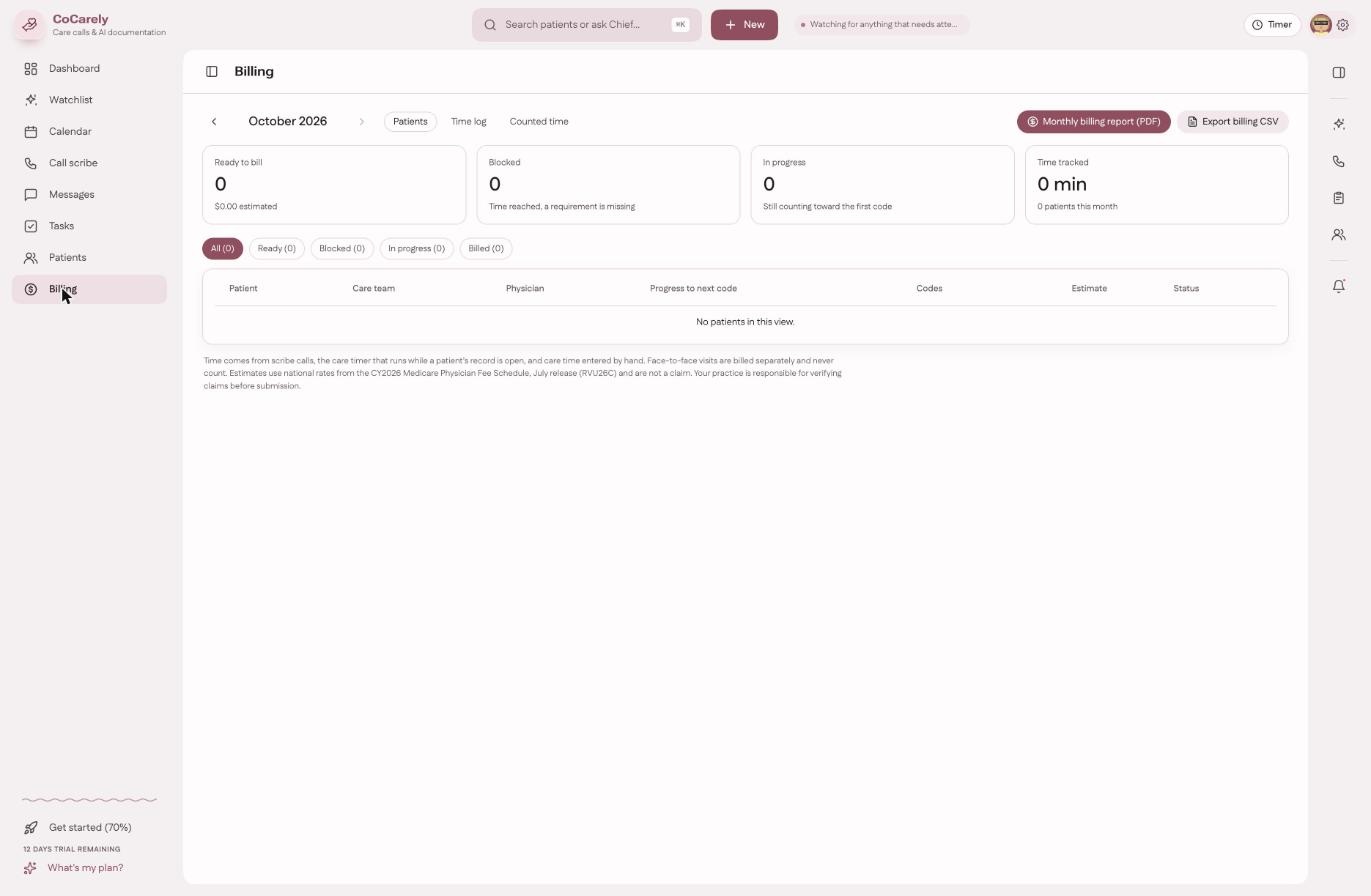
CareDot supports tracking and review of billing progress. It does not guarantee coverage or payment; billing decisions remain with your practice and are subject to applicable payer rules and documentation requirements.
Connected experiences
Help the right work reach the right person.
NurseDot, DoctorDot, and PatientDot serve different needs across the care journey. Together, they aim to reduce unnecessary friction between patient participation, care-team coordination, and clinician workflows.
The result we are working toward is straightforward: a more organized process around care, with human attention where it matters most.
Care report
See one patient's time, contacts and care delivered.
Billing report
Review the codes and time associated with each claim.
Month report
See the practice's month, organised by program.
Print or save as PDF
Reports open in a clean format you can print or save as a PDF.
Find the friction in your workflow. Then see what can come off your team's plate.
Let's walk through the workflows that matter to your practice.